Film the rep.
Log the mark.
TRACK RESULTS.
TrackRecord turns every jump, throw, and sprint into video paired with a result — instantly. Every athlete gets a living profile of stats and film, meet after meet, season after season.
Available now on iOS — Web, iPad, and Android coming soon
Everything a track & field coach actually needs in a recording app
Record, then log — in one motion
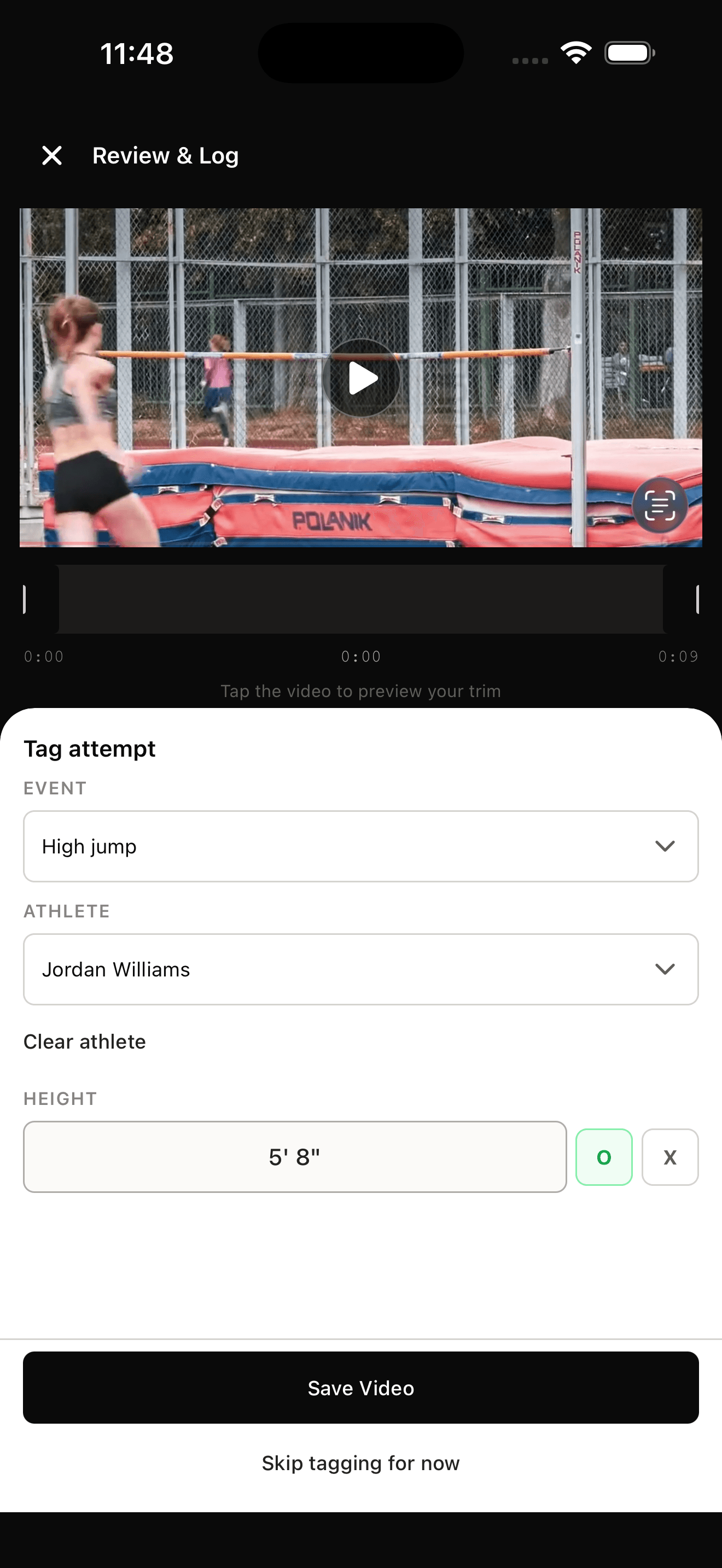
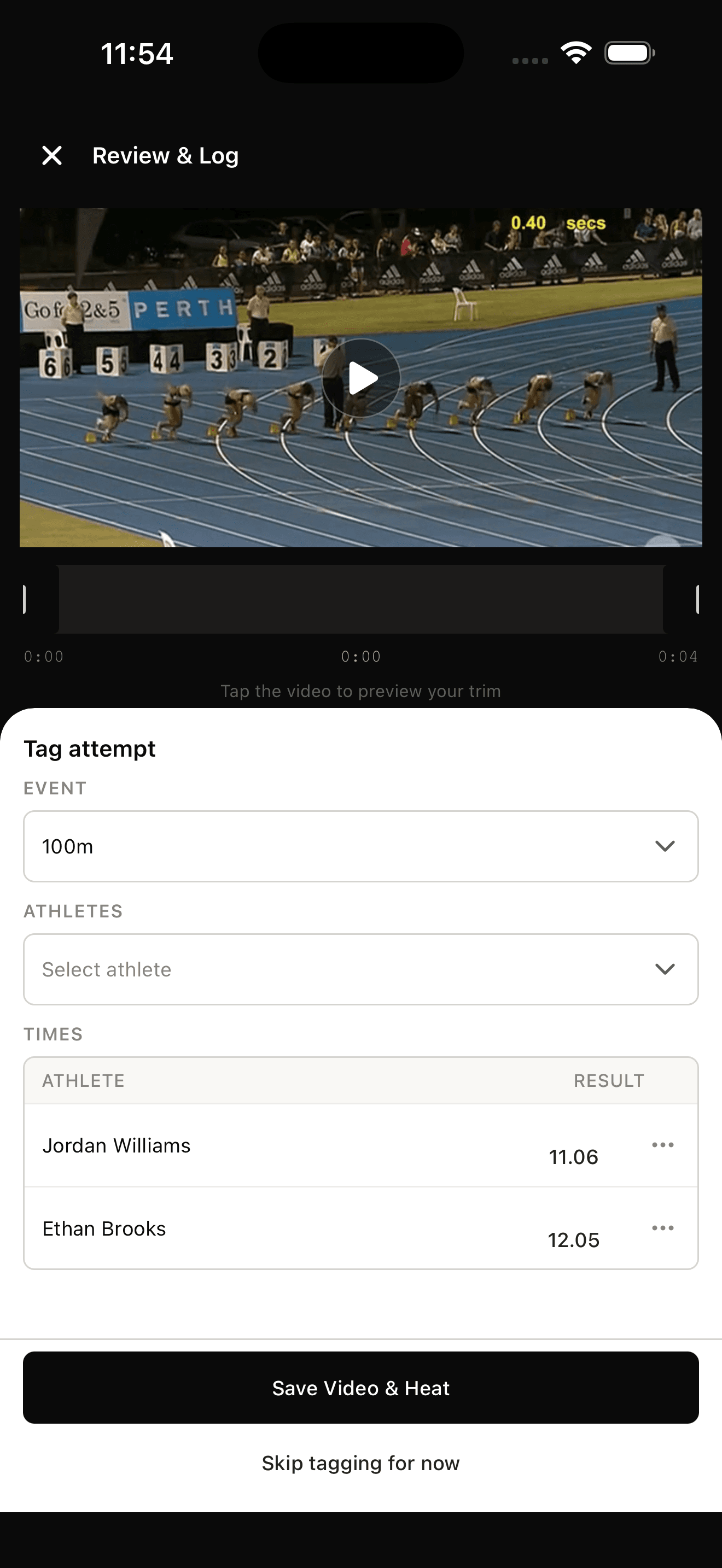
Hit record on a rep and TrackRecord immediately prompts for the result — distance or time — and the athlete, if it's not already known.
Progression, automatically
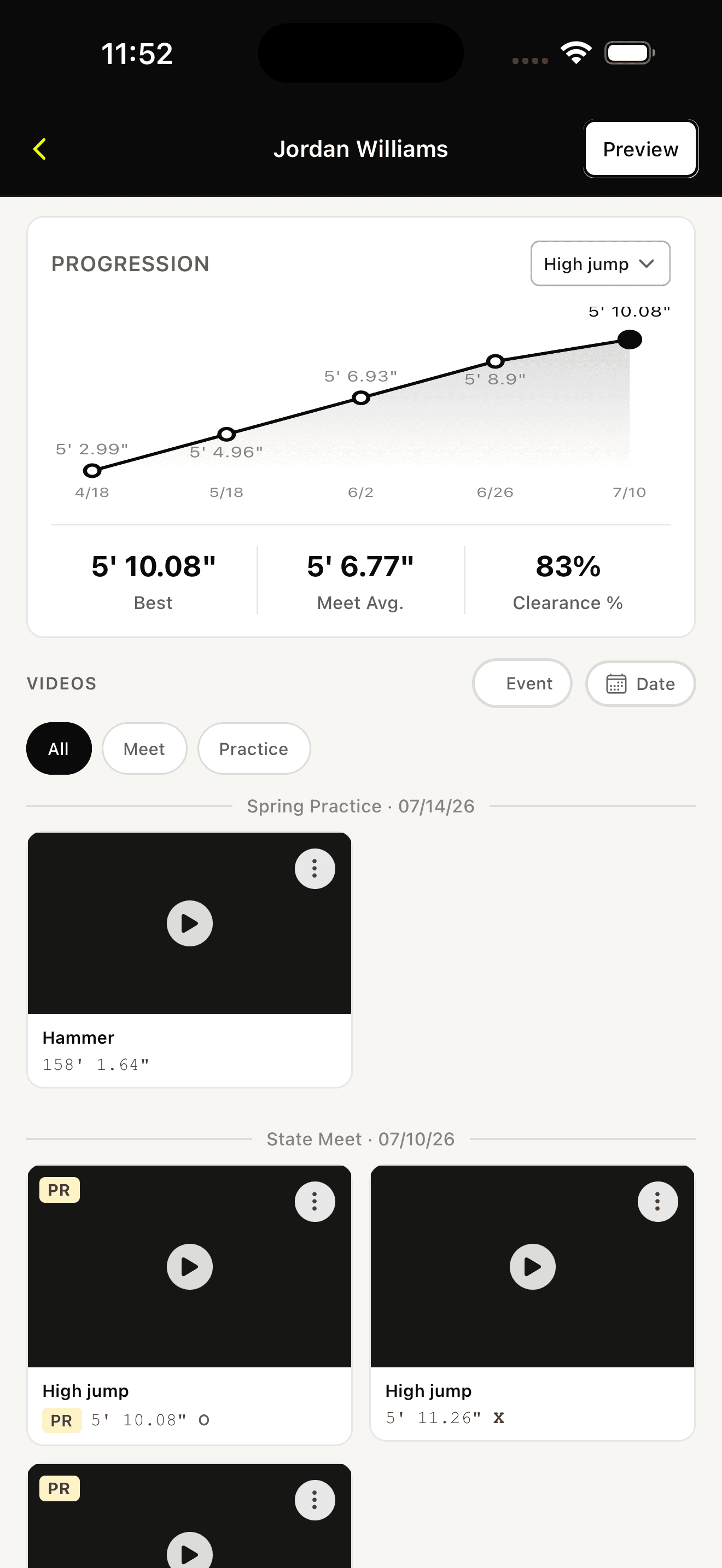
Every mark rolls into a per-event chart so you can see a season's arc at a glance instead of digging through meet results.
Coach right on the film
Comment directly on an athlete's video. They get notified, watch the cue, and see it next to every other rep from that meet or practice.
One profile, every season
Each athlete gets a home for their events, sessions, and stats — practices and meets. Athletes get free access to their own film and numbers.
Every mark. Every video. One scroll.
Filter by event or by date, see best marks and other important data, then scroll straight into the film — organized by meet or practice, exactly how you already think about the season.
Join BetaPricing that scales with your roster.
- ✓ Up to 10 athletes
- ✓ Unlimited video with result prompts
- ✓ Athlete profiles & stat tracking
- ✓ Practice + meet session tracking
- ✓ Video commenting + free athlete view
- ✓ Up to 20 athletes
- ✓ Everything in Core
- ✓ 1 Recorder seat included
- ✓ Unlimited athletes
- ✓ Everything in Pro
- ✓ 3 Recorder seats included
Questions coaches ask
Do my athletes need to pay for an account?
No. Athlete accounts are free — they get a lighter view built for reviewing their own film and stats, while coaches manage the roster and recording.
Which events does TrackRecord support?
Every jump, throw, and running event, each with its own result format — distance, height, or time — so the app prompts for the right thing every time you record.
Can I separate practice from meet video?
Yes. Every session is tagged practice or meet, and every chart and filter respects that split so you can compare like against like.
What happens when an athlete graduates or transfers?
Their profile and history stay in your account. Their account doesn't transfer to a new school — if they join another TrackRecord program, they'll start a fresh profile there.
Is there a free trial?
Yes — every plan starts with a full free trial, no card required, so you can run a real practice through it before committing.
Every video,
tied to its mark.
Apply for the beta — free full access for your first 3 months.
Join Beta